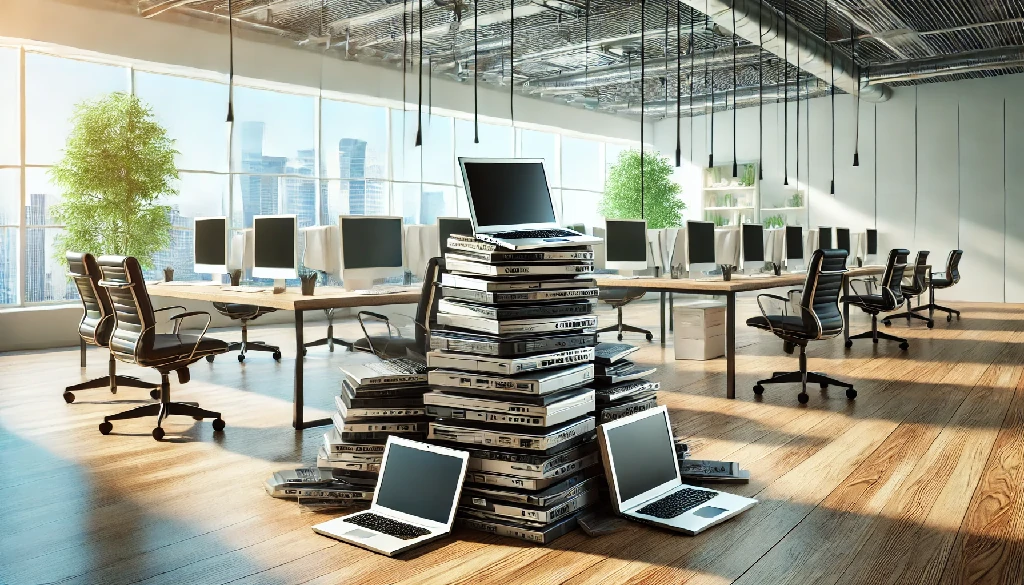
How to Discard Old Laptops
How to Discard Old Laptops? [The Ultimate Guide in 2025]
Every year millions of computers become obsolete. In fact, the world produces millions metric tons of electronic waste, the majority of which comes from discarded devices like laptops. If you’re wondering how to discard old laptops without harming the planet (or your privacy), keep reading.
This guide explains, step by step, how to discard old laptops in a safe, eco-friendly way. You’ll learn how to erase your data, remove batteries, and find certified recycling or donation programs. Let’s dive in and make sure your next laptop upgrade leaves a net-positive footprint on the world.
our industries: Healthcare ITAD Services
_result.webp)
Why Proper Disposal of Old Laptops Matters?
Disposing of an old laptop the right way helps both the environment and your own security. When electronics end up in regular trash, toxic substances can leach into soil and water. In fact, improper recycling releases heavy metals that endanger health. Globally only about 22% of e-waste is formally collected and recycled, so every device we recycle helps.
On the flip side, laptops often contain sensitive personal data. If you just discard one without wiping it, a data thief could recover your files, passwords or photos. To avoid identity theft or privacy breaches, always delete your data before getting rid of a device. By handling old laptops carefully, you reduce pollution and protect yourself.
read more: how much gold is used in electronics
Steps to Prepare Your Old Laptop
Before saying goodbye to an old laptop, there are a few easy steps to keep your data safe and make recycling smooth. First, back up any files you want to keep. Then, wipe your hard drive so no one can access your personal info. On Windows, you can use “Reset this PC” with data removal, and on Mac, try “Erase All Content”. You can also use free tools like DBAN. If you want extra security, you can remove the hard drive completely and either keep it as an external drive or destroy it (a small hole or a gentle smash works!) to make sure nothing is left behind.
Next, take out the battery and other parts. Laptop batteries have hazardous materials like lithium, so they should never go in the trash. Most electronics stores and recycling centers have special bins for batteries. Carefully slide out or unscrew the battery and set it aside for recycling. Don’t forget any removable memory cards, chargers, or cables – take those out too.
Finally, gather all accessories and cords. Most e-waste recyclers prefer you bring everything together. Once your laptop is backed up, wiped, and disassembled, it’s ready for safe disposal!
How to Discard Old Laptops Responsibly
Here’s how to discard old laptops safely and in a way that’s good for the planet.
_result.webp)
1. Donate or sell it if it still works
If your laptop is still functional, consider donating it to a school, charity, or community program. This gives the device a second life and helps someone in need. Many e-waste nonprofits and refurbishers accept working laptops, and selling them online through buy-back sites or marketplaces is also an option. So, you can make money off old electronics. Keeping your laptop in use reduces waste and lessens the environmental impact of making new devices.
2. Recycle if it no longer works.
If donation isn’t possible, choosing a credible e-waste recycling company is the next best choice. Many cities and stores offer free e-waste drop-off. Retailers like Best Buy and Staples have bins or kiosks for electronics, and certified e-waste recyclers safely break down laptops to recover metals, plastics, and other materials.
According to the U.S. EPA, electronics contain valuable components like gold and copper that can be reused instead of being mined again. You can find local recycling centers using services like Call2Recycle or Earth911, and some manufacturers, like Dell, Apple, and HP, even offer mail-in recycling programs.
3. For extra security or multiple laptops
If you have many laptops or want guaranteed data destruction, consider an IT asset disposal service or wait for a municipal hazardous waste/e-waste event. Some centers even physically destroy hard drives on-site, which gives peace of mind that your data is gone. Even if you’re unsure, certified e-waste recyclers typically wipe or shred drives properly.
Never throw laptops in the regular trash or recycling bin. E-waste laws in many places prohibit this. By donating or recycling, you’re safely discarding your laptop, giving materials a second life, and keeping harmful toxins out of the environment.
Conclusion
Knowing how to discard old laptops the right way means making a positive impact. In summary, back up your data, wipe or remove storage drives, and take out batteries before you send any laptop off. Then choose a responsible path: donate or sell working machines to give them new life, or take broken ones to certified e-waste recyclers for safe processing.
This simple care protects your personal information and keeps toxic waste out of our communities. By following these steps, you’ll contribute to a cleaner planet and enjoy peace of mind that your old laptops were discarded safely and responsibly.
FAQs
_result.webp)
1. How Do I Erase My Data First?
Before you discard the laptop, use built-in tools or free software to securely wipe it. For Windows, use Reset this PC with data removal; for Macs, use Erase All Content. You can also boot from a USB with DBAN or similar. Removing the hard drive and destroying or repurposing it is another foolproof method.
3. Where Can I Recycle or Donate My Laptop?
Check local electronics recycling centers or certified recyclers. Many retailers (Best Buy, Staples, etc.) take old laptops for recycling. Charities and schools often accept working laptops as donations. Sites like Donate Computer to Charity list programs. You can also mail back laptops through manufacturer recycling or trade-in programs

Ask an Expert
Call us 24/7 or submit the form below to speak with one of our specialists.
All fields required

.png)
![How Can My Company Make Money Off Our Old Electronics [Ultimate Guide in 2026]](https://www.rapidsolutionsint.com/uploads/blog/closeup-of-computer-hard-disk-drive-2025-02-10-10-51-11-utc.webp)