
What Is NIST 800-88?
What Is NIST 800-88?
As you may know, deleting a file does not remove the data from a storage device. Even formatting a hard drive may leave information that recovery software can find.
So, it is an important problem when you want to sell a laptop, return a leased server, recycle old equipment or send a failed drive to another company. The device may leave the business, but the information stored on it can remain.
So, what is NIST 800-88, and how does it help? NIST SP 800-88 is a widely used guideline for securely removing information from storage media. It helps organizations choose an appropriate method based on the storage technology, the sensitivity of the data and what will happen to the device next. Let’s learn more about this guideline and its 3 core sanitization levels in detail.
_result.webp)
Read More: Electronics recycling service
Key Takeaways
|
What Is NIST SP 800-88?
NIST SP 800-88 is a publication from the National Institute of Standards and Technology. Its official title is Guidelines for Media Sanitization. The current edition is NIST SP 800-88 Revision 2, published in September 2025.
It explains how organizations should securely remove data from storage media, including hard drives, SSDs, USB devices, mobile phones, backup tapes, and other equipment that stores digital information.
The term “sanitization” is important because deleting files or formatting a drive may not remove the underlying data. Proper sanitization makes access to that data infeasible for the required level of protection. Depending on the method used, it can prevent recovery through standard software, forensic tools, or advanced laboratory techniques.
What Is Media Sanitization?
“Media sanitization is a process that renders access to the target data on media infeasible for a given level of effort.”
Media sanitization is the process of making access to stored data infeasible for a defined level of effort. Media sanitization goes further than normal deletion. Deleting a file or performing a quick format may remove its visible reference without securely addressing the original data.
For that reason, organizations should use a controlled method of data destruction and sanitization before data-bearing equipment leaves their control.
Read Also: Data Deletion vs. Data Destruction
Nist 800-88 Three Levels: Clear, Purge and Destroy
NIST identifies Clear, Purge and Destroy as the main media sanitization methods. Each method provides a different level of protection and supports a different asset outcome.
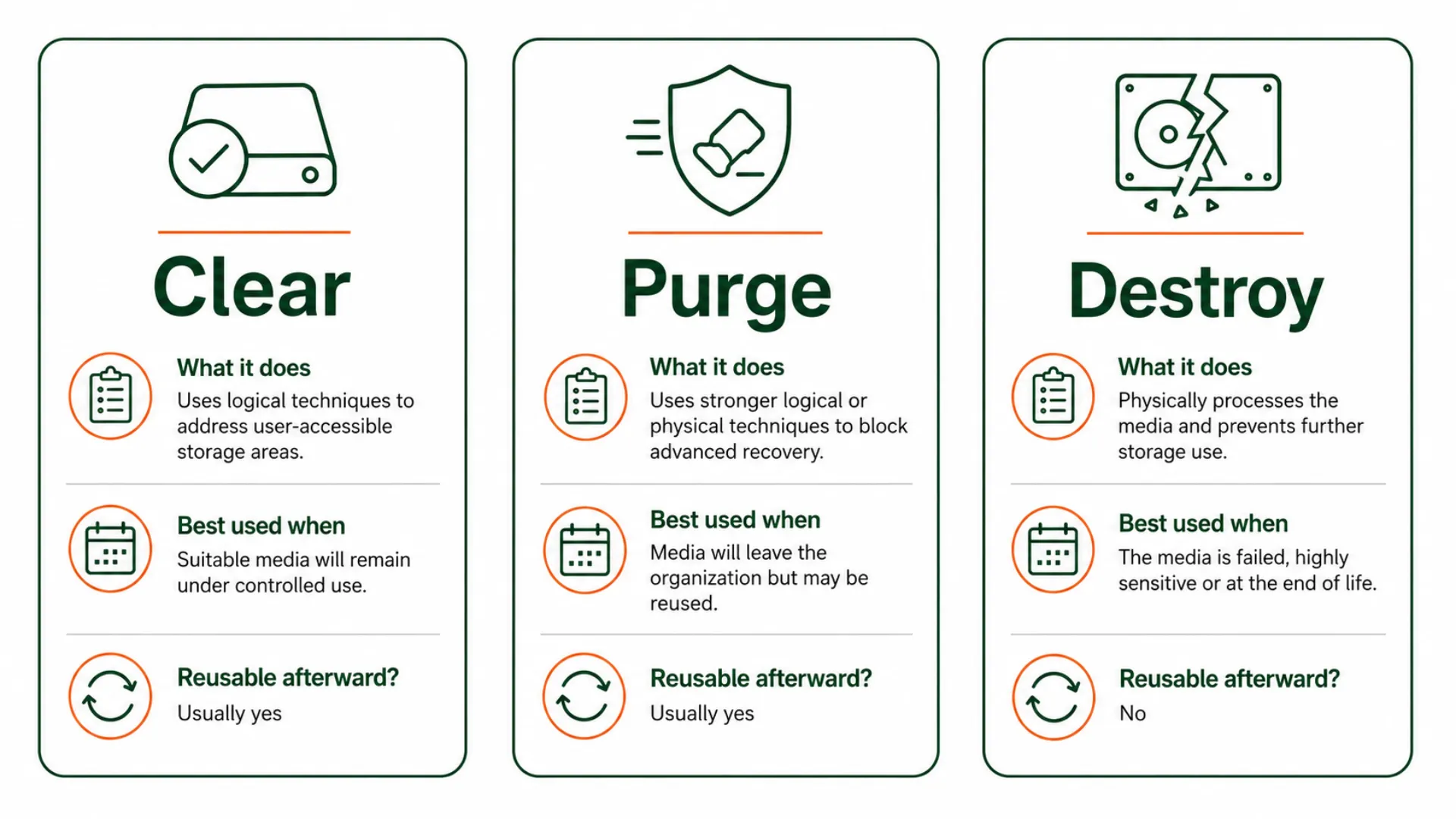
Clear
Clear applies logical techniques to user-addressable storage locations. It aims to prevent simple, non-invasive recovery through the device’s normal interface.
For a traditional HDD, Clear may include a complete overwrite with a new value. It can be useful when the drive remains inside the organization and the data risk is acceptable.
However, a basic overwrite may not be suitable for every SSD. Flash storage can contain areas that normal read-and-write commands do not fully address.
Use Clear when:
The media works correctly
It will remain under company control
The method suits the storage technology
The result can be verified
Purge
Purge provides stronger protection than Clear. It aims to make recovery infeasible even with advanced laboratory techniques.
Depending on the device, Purge may involve a supported firmware sanitization command, block erase or cryptographic erase.
Cryptographic erase works by sanitizing the keys that protect encrypted data. It can qualify as a Purge technique when the encryption and key-management conditions are reliable.
Use Purge when:
A device will be sold or donated
Leased equipment will be returned
Media will go to an ITAD provider
An SSD or NVMe drive will be reused
Stronger protection than Clear is required
Because Purge often leaves the media usable, it can support refurbishment and IT asset value recovery.
Destroy
Destroy makes data recovery infeasible and leaves the media unable to store data again.
Common physical methods include hard drive shredding, pulverization, disintegration, melting and other approved destruction processes.
Use Destroy when:
The drive is dead or unresponsive
The data is highly sensitive
Company policy requires destruction
No trusted Clear or Purge method is available
The media has reached the end of its useful life
Still, physical damage does not always equal secure destruction. A bent drive or a single drilled hole may leave part of the data-bearing material intact.
What Problem Does NIST 800-88 Solve?
Companies often protect active devices with passwords, encryption and access controls. The risk changes when those devices are retired.
Old equipment may pass through IT teams, warehouses, transport companies, leasing firms, resellers and recyclers. Without a clear process, each party may handle the data differently.
NIST 800-88 helps prevent problems such as:
Recoverable data remaining on retired devices
The wrong method being used for the media type
Failed drives being treated as empty
Reusable equipment being destroyed unnecessarily
Missing serial-number records
Poor control over third-party handling
As a result, it gives IT, security and compliance teams a shared process for handling retired storage media.
How Does NIST 800-88 Protect Against Unauthorized Data Access?
NIST 800-88 supports a structured sanitization program rather than a one-time hard-drive wiping action. Revision 2 places greater focus on media sanitization policies, validation, vendor trust and alignment with current technical standards.
A practical process includes the following steps.
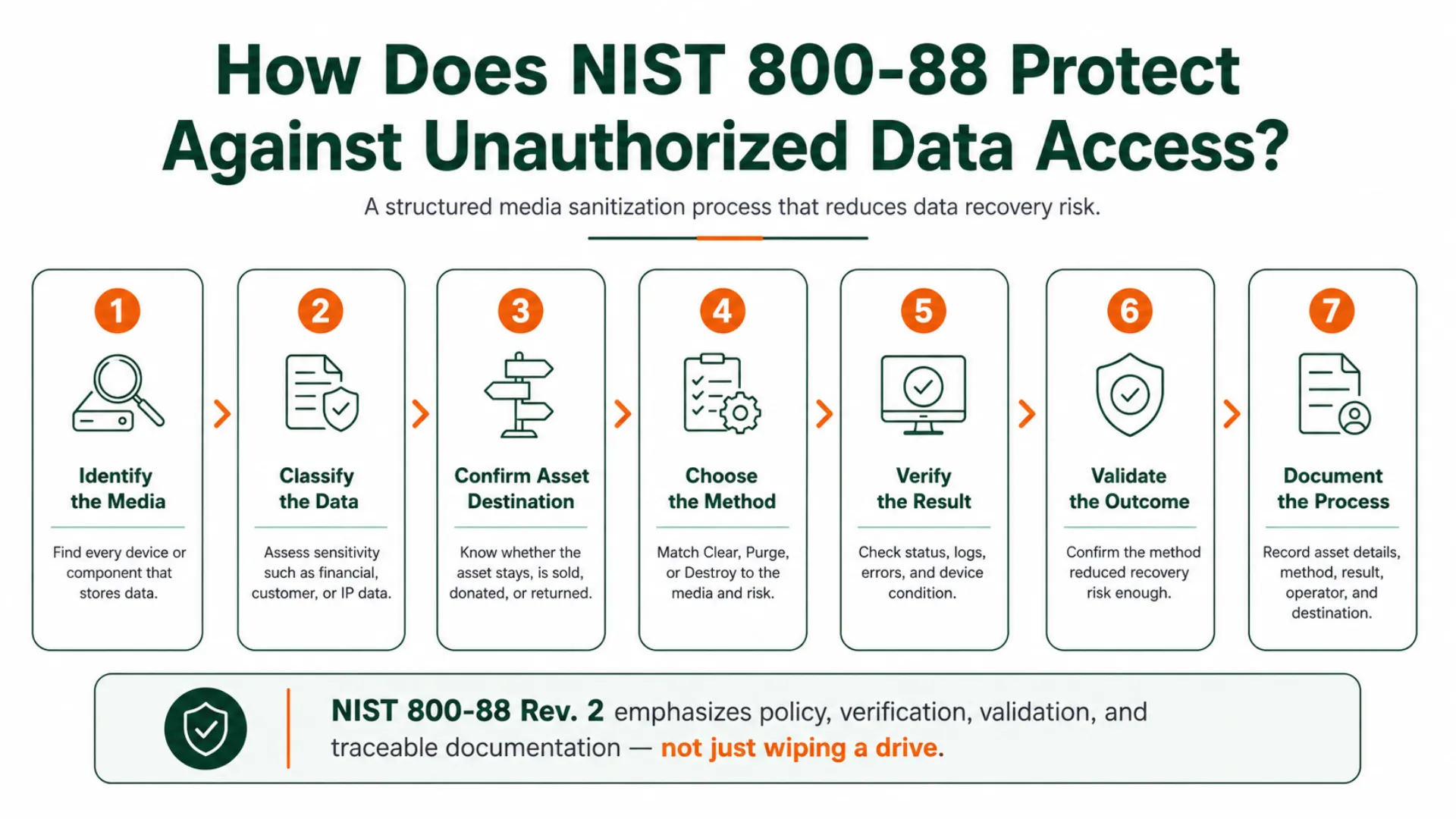
1. Identify the Media
First, identify every component that can store information. A server may contain several drives, while a printer, mobile device or network appliance may have hidden internal storage.
2. Classify the Data
Next, review the type and sensitivity of the information. Financial records, customer information, passwords and intellectual property may require stronger controls than public data.
3. Confirm the Asset’s Destination
Then, decide what will happen to the equipment. A drive that remains inside the company does not carry the same risk as one being sold, donated or returned to a leasing company.
4. Choose the Method
The method should match the data risk, storage technology and destination. For example, a traditional HDD overwrite may support Clear, while an SSD may need a supported Purge technique.
5. Verify the Result
Verification checks whether the software or equipment completed the selected operation. This may include reviewing:
Completion status
Error messages
Tool logs
Device health
Destruction results
6. Validate the Outcome
Validation asks whether the selected method actually reduced the recovery risk to an acceptable level. A command can complete successfully and still be unsuitable for the media. Therefore, technical success alone is not enough.
7. Document the Process
Finally, connect the result to the individual asset. A sanitization or destruction record may include:
Manufacturer and model
Serial number
Asset number
Media type
Method and technique
Tool or equipment used
Date and location
Operator details
Verification result
Final destination
This creates clear evidence of how each storage device was handled.
How to Choose the Right Level?
The right method depends on the sensitivity of the data, the type and condition of the media, its next destination, and the organization’s internal policy.
Read More: How to Physically Destroy a Hard Drive
Why Does NIST 800-88 Matter for UK Organisations?
NIST 800-88 is not a UK law, but it provides a recognised framework for securely clearing, purging or destroying data-bearing media.
It can help organisations support UK GDPR and Data Protection Act 2018 obligations by creating a secure and documented disposal process. The ICO expects personal data to be disposed of securely, while the NCSC recommends sanitising storage media before reuse or disposal.
Following NIST 800-88 can also provide:
Clear audit evidence
Serial-number tracking
Verified sanitisation records
Better protection against data recovery
Greater confidence for customers and auditors
However, following NIST 800-88 does not guarantee legal compliance by itself. It should form part of the organisation’s wider data protection and information security programme.
Read Also: How to Dispose of Data Under GDPR
How Rapid Solutions International Applies NIST 800-88
Rapid Solutions International applies NIST 800-88 principles by selecting a suitable method for each storage device based on its condition, data sensitivity and future use.
Working devices may undergo secure data erasure so they can be reused or resold. When a drive cannot be reliably erased, contains highly sensitive data or has reached the end of its life, Rapid Solutions can physically destroy it through shredding, crushing or another suitable method.
The process can include:
Secure erasure of reusable HDDs and SSDs
Physical destruction of failed or sensitive media
On-site or off-site processing
Serial-number and asset tracking
Verification and detailed audit records
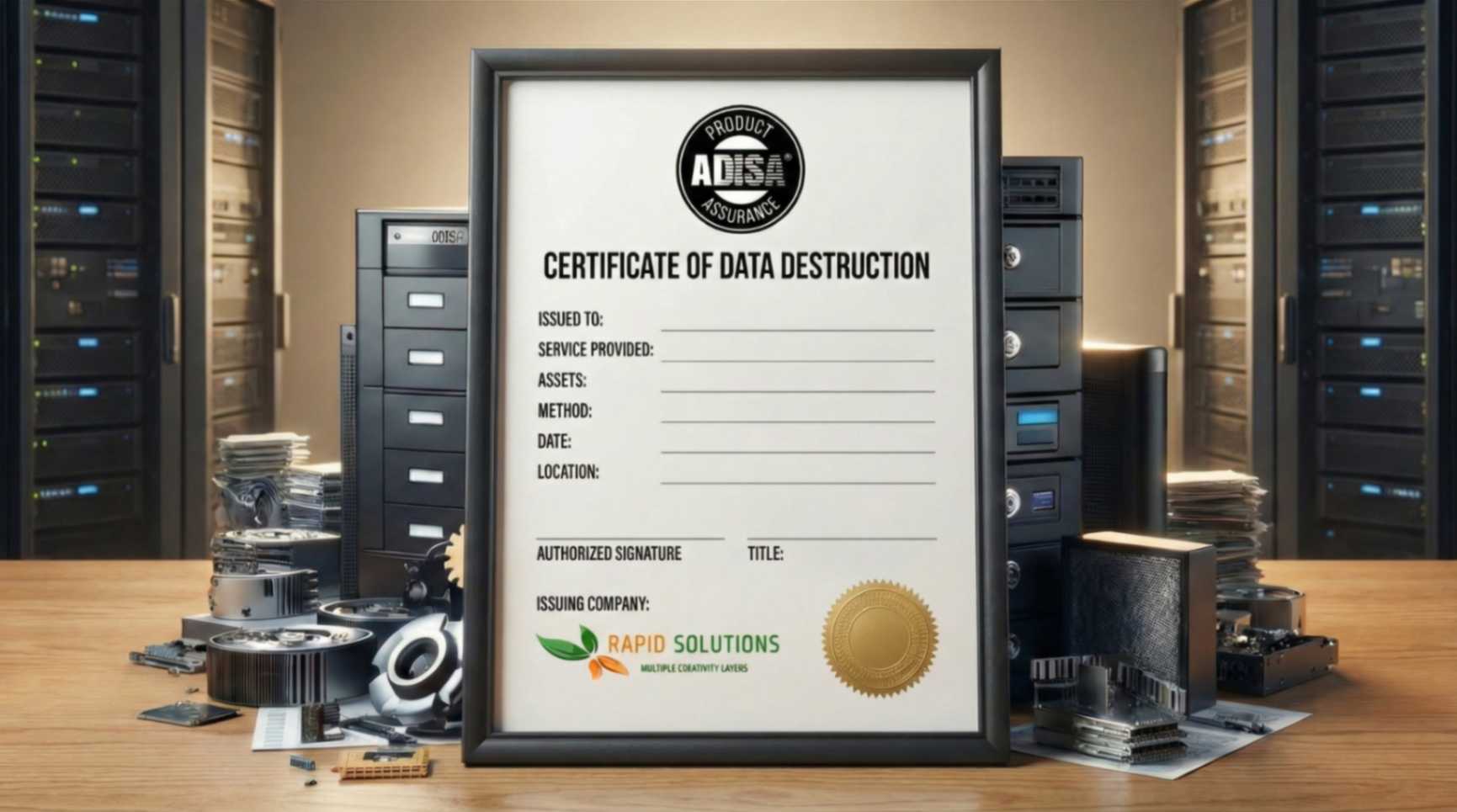
Certificates of erasure or destruction
This approach supports the NIST principles of Clear, Purge and Destroy while helping clients protect their data, meet audit requirements and recover value from reusable equipment.
Final Thoughts
NIST 800-88 helps businesses choose a suitable way to remove data from retired storage media. It has 3 core levels including clear, purge, and destroy. Clear supports controlled reuse in appropriate cases. Purge gives stronger protection while often keeping the device reusable. Destroy permanently removes the media from service.
However, the method is only one part of the process. Businesses should also identify the media, classify the data, verify the result and maintain clear asset records. So, an organization can protect sensitive information while recovering value from equipment that can be safely reused.
FAQs
1. Does Formatting a Drive Meet NIST 800-88?
Not automatically. A quick format may remove file-system references without securely addressing all stored data.
2. Is One Overwrite Pass Enough?
A complete and verified overwrite may support Clear for a suitable traditional HDD. However, the correct result depends on media coverage, errors, device type and the required security level.
3. Can an SSD Be Securely Erased?
Yes. However, the process should use a method supported by the SSD, such as an approved sanitization command or cryptographic erase.

Ask an Expert
Call us 24/7 or submit the form below to speak with one of our specialists.
All fields required
.png)