
The Lifecycle of Servers: The Ultimate Guide to Longer Use in 2026
The Lifecycle of Servers: The Ultimate Guide to Longer Use in 2026
Servers do not always fail when expected. Some may work well for more than seven years, while others need replacing much sooner because of heavy use, poor cooling, or a lack of security updates.
Many business owners replace servers every five years, but this is not necessary. Understanding The Lifecycle of Servers helps IT teams decide when to maintain, upgrade, replace, or retire their equipment.
Good planning can reduce downtime, protect business data, control costs, and recover value from old hardware. In this article, we cover server lifetime, the factors that affect it, signs that replacement is needed, and the right steps for maintenance, secure decommissioning, reuse, and recycling. Ready? Let’s get started!

Read More: Electronics recycling service
What Does Server Lifetime Mean?
Server lifetime means the period in which a server provides useful and acceptable service. It begins when the asset is deployed and ends when the company decommissions, reuses, sells, or recycles it.
“Useful” is the key word. A server that still powers on may no longer be useful for its main role. It may be too slow, costly to support, short on capacity, or exposed to security risk. A good server lifecycle management policy looks at business value and risk, not age alone. To understand The Lifecycle of Servers, it helps to split the hardware cycle into seven stages.
1. Introduction: The business chooses a server based on its workload, storage, security, and support needs. It should also record the server’s details, warranty, location, and expected replacement date.
2. Growth: The server handles more users, applications, and data during this stage. Teams should monitor CPU, memory, storage, network use, and workload peaks to avoid performance problems.
3. Maturity: The server now handles a steady workload. Regular updates, health checks, backup tests, and part replacements help keep it stable and reliable.
4. End-of-Life (EOL): EOL usually means the manufacturer has stopped selling or developing the server model. The server may still work, but the business should check its warranty, software support, parts, and running costs.
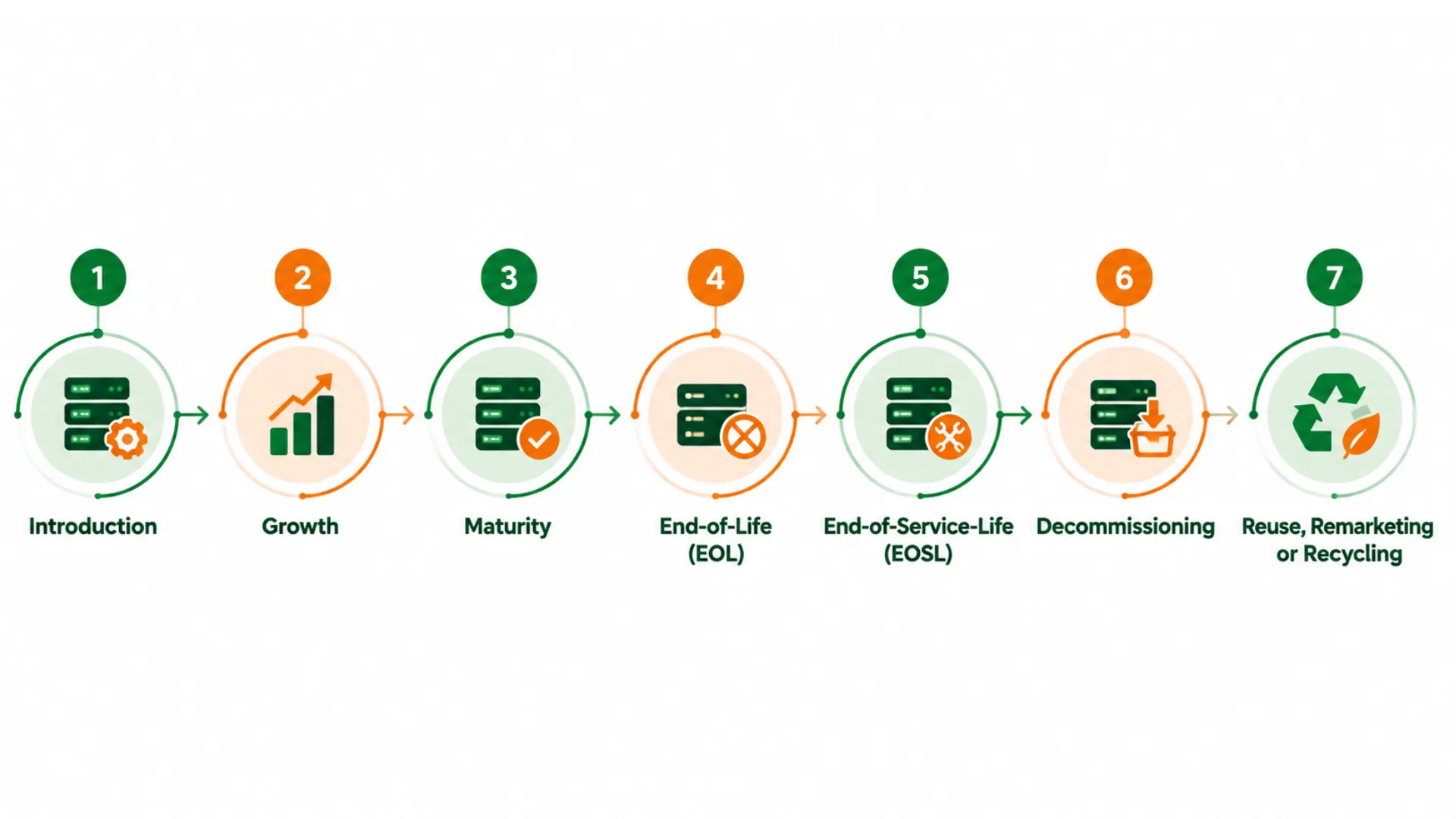
5. End-of-Service-Life (EOSL): EOSL means the manufacturer has ended support and maintenance. Some servers can continue with third-party support, but this may not be suitable for critical systems.
6. Decommissioning: The team removes the server from use, transfers its data, closes access, disconnects the equipment, and updates the asset records. Proper planning helps prevent missed accounts, backups, or network settings.
Read Also: Data Center Decommissioning Service
7. Reuse, Remarketing, or Recycling: A working server can be reused, repaired, sold, or used for spare parts. Equipment with no reuse value should go to a qualified recycler.
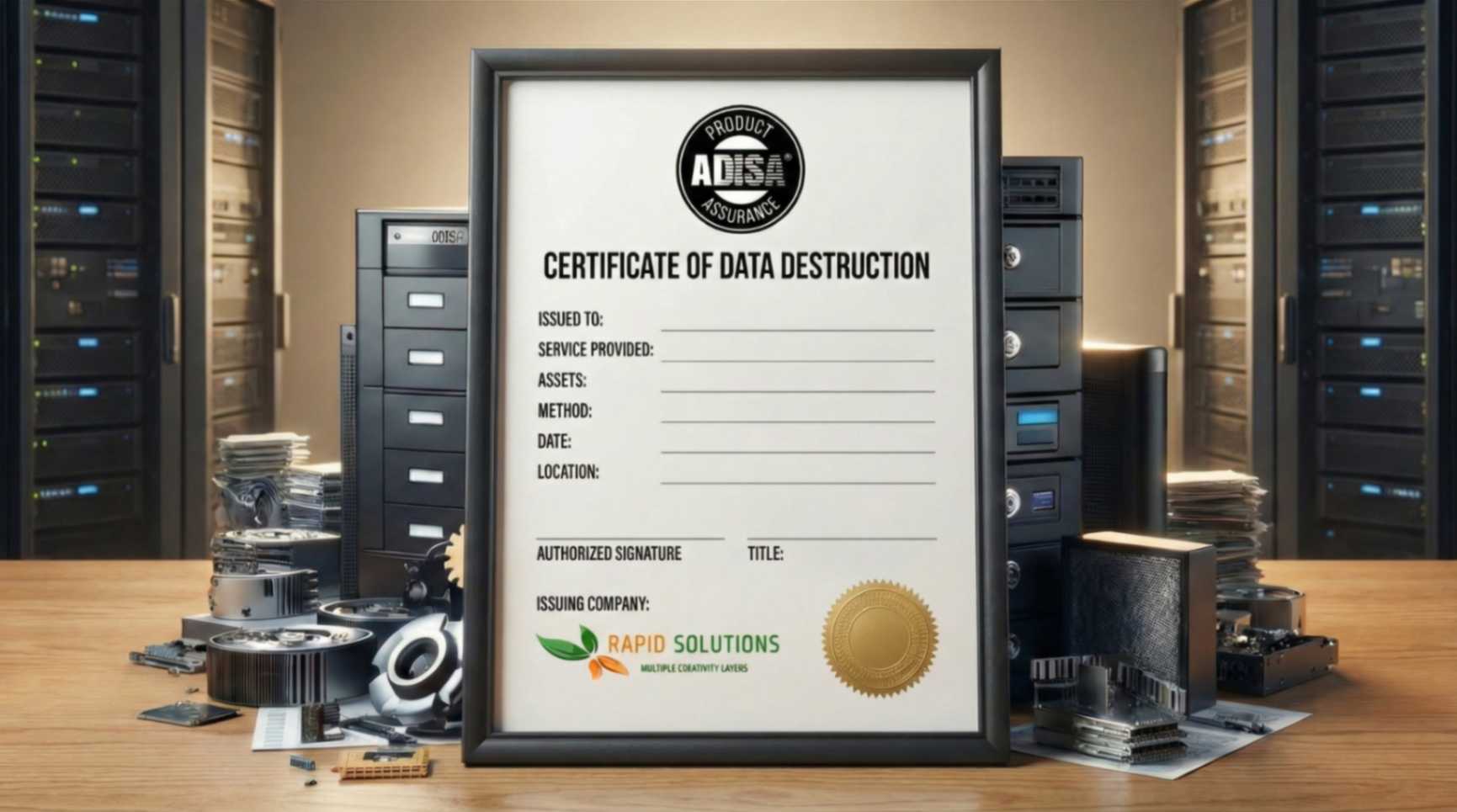
Before the server or drives leave the company, all data must be securely erased or destroyed. The method should follow NIST SP 800-88 Rev. 2
Read Also: Remarketing service
What Is the Average Lifespan of a Server?
A practical planning range is about five to seven years, but not the same for every server. Many companies plan a refresh around year five because warranties, vendor roadmaps, performance needs, and accounting cycles often meet at that point. A well-maintained server with a light and stable workload may remain useful for longer.
Besides, OEM dates need careful reading. EOL and EOSL are not proof that the hardware has failed. A company should compare the annual cost and risk of continued use with the cost and benefit of replacement.
A useful quotation comes from HPE’s published policy:
“The EOL announcement also includes the end of support (EOST) date, which is five years after the EOS date.”
This supports a common pattern, but HPE also notes that dates can vary. Always check the notice for the exact model.
What to Consider When Estimating The Lifecycle of Servers?
You must consider three different clocks:
Physical life: Can the hardware still run reliably?
Support life: Can the business get parts, firmware, security updates, and help within its required time?
Business life: Can the server meet current needs at a sensible cost and risk level?
The shortest of these clocks often sets the real replacement date.
What Determines a Server’s Lifetime?
Server life depends on hardware quality, operating conditions, workload, care, and support. Age matters, but it does not tell the whole story. Two identical servers installed on the same day can reach retirement years apart.
What Factors Affect Server Longevity?
How to Tell If a Server Needs Replacing
A server needs review when it creates more risk or cost than value. One warning may justify closer monitoring. Several warnings together usually support replacement.
This is the point where The Lifecycle of Servers moves from routine maintenance to a planned business change.
Common signs include:
The manufacturer has ended support and no suitable maintenance option exists.
The operating system, firmware, or key software no longer receives security updates.
Parts fail more often or take too long to source.
Capacity stays near its limit or performance affects users.
The server cannot support required security controls, encryption, or current software.
Power and cooling costs are high compared with a newer platform.
Backup, restore, or failover tests do not meet the recovery target.
Maintenance costs are rising and repair work causes repeat downtime.
The asset still has resale value that may fall sharply if retirement is delayed.
The last point is often missed. Waiting until failure may remove both reuse value and remarketing value. In many cases, retiring a stable server at the planned point gives the business a safer migration and a better financial return.
How Can I Extend My Server’s Lifetime?
You can extend server life through better cooling, steady power, planned maintenance, sensible workloads, and timely part replacement. Extension should have clear limits. It should not keep an unsafe or unsupported system in a critical role.
Use this checklist:
Keep inlet temperature within the equipment maker’s limits and watch rack-level hot spots.
Maintain clean airflow paths, filters, fans, and blanking panels.
Use tested UPS protection and monitor power quality.
Replace failed or weak drives, fans, batteries, and power supplies early.
Keep firmware, operating systems, and management tools supported and patched.
Track storage growth, memory pressure, peak CPU use, and network demand.
Test backups and restores instead of checking only that a backup job ran.
Keep spare parts or a support contract that matches the required recovery time.
Move heavy workloads when an older server can no longer carry them safely.
Review EOL and EOSL dates at least once a year.
Is It Worth Keeping a Server After EOSL?
Yes, if the server still works well, replacement parts are available, and downtime will not cause major problems. Third-party support may also help lower costs.
It is usually a poor choice when the server hosts sensitive data, runs a critical service, lacks current security updates, or cannot meet recovery targets. The decision should use a written risk review, not the fact that the machine “still works.”
For The Lifecycle of Servers, EOSL is a decision point rather than an automatic disposal date.
Conclusion
The Lifecycle of Servers is not a fixed five-year countdown. It is a managed process that begins with correct sizing and asset records, continues through monitoring, and ends with controlled decommissioning.
The strongest decisions use several facts together: hardware health, workload demand, software support, security exposure, repair time, energy cost, and remaining market value. A server can work after EOL or EOSL, but continued use must have a clear business and risk case.
Rapid Solutions International supports the final and most sensitive stages of The Lifecycle of Servers, including data-center decommissioning, serialized asset control, secure data sanitization and destruction, IT asset remarketing, and responsible recycling. A planned exit protects data, reduces waste, and gives the business the best chance to recover value from equipment that still has a useful next life.
FAQs
1. Can I Sell a Used Server That Still Contains Its Drives?
You can sell the hardware, but do not release storage media until the data has been sanitized and the result has been verified. If policy does not allow reuse of the drives, remove and physically destroy them through a controlled process. Keep asset-level records and certificates.
2. Do I Need to Replace Every Server at the Same Age?
No. Grouping replacements can make budgeting and migration easier, but risk differs by workload, model, support status, and condition. Set a review date for each asset class, then approve exceptions with evidence.
3. Can I Reuse Parts From a Retired Server?
Yes, if the parts are compatible, tested, recorded, and allowed by company policy. Memory, processors, power supplies, fans, network cards, and rails may retain value. Storage devices still require secure data treatment.

Ask an Expert
Call us 24/7 or submit the form below to speak with one of our specialists.
All fields required
.png)